Rain Season Ai Photo Editing Prompt – Nowadays, you can create amazing photos. If you edit according to current trends, your work often goes viral. Take, for instance, the “rain effect” editing style that is currently trending; it involves adding effects to ordinary photos in a completely natural-looking way. In this article, I will explain the process in detail. People don’t want to use just any random image; they want to apply this effect to their original photos so that the rain looks completely authentic. This article will guide you through exactly how to achieve this kind of editing.
About Rain Season Ai Photo Editing Prompt
Let’s understand the nature of this “rain” editing style. The primary focus here is to transform your standard photo into a rain-themed image while maintaining a completely natural look. You can even change the entire background—a technique I will cover, though you will see examples of that in upcoming photos. For the first method, simply upload a normal photo and use the specific prompt; your image will easily be converted into a rain-themed one. I have detailed all the steps and elements in this article; if you follow them, your edited photo will turn out absolutely perfect.
Process Of This video Editing
You need to understand how to use photos for this editing process, and I will explain it to you. For this, you should use a photo where your face looks perfect; using such a photo ensures that your face matches 100% in the final generated image. Next, you are presented with two different types of prompts. In the first scenario, your original photo is completely transformed into a rainy-day image; the background and other elements remain the same, but the rain effect is added. That covers the first process. The second scenario involves using just a selfie; the tool will then generate an image of you in a different location and wearing different clothes, complete with the rain effect. You will find details on both editing methods in this article, and the same procedure applies to both.
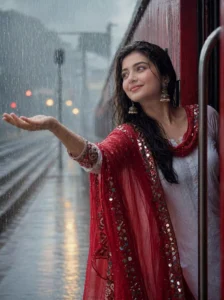
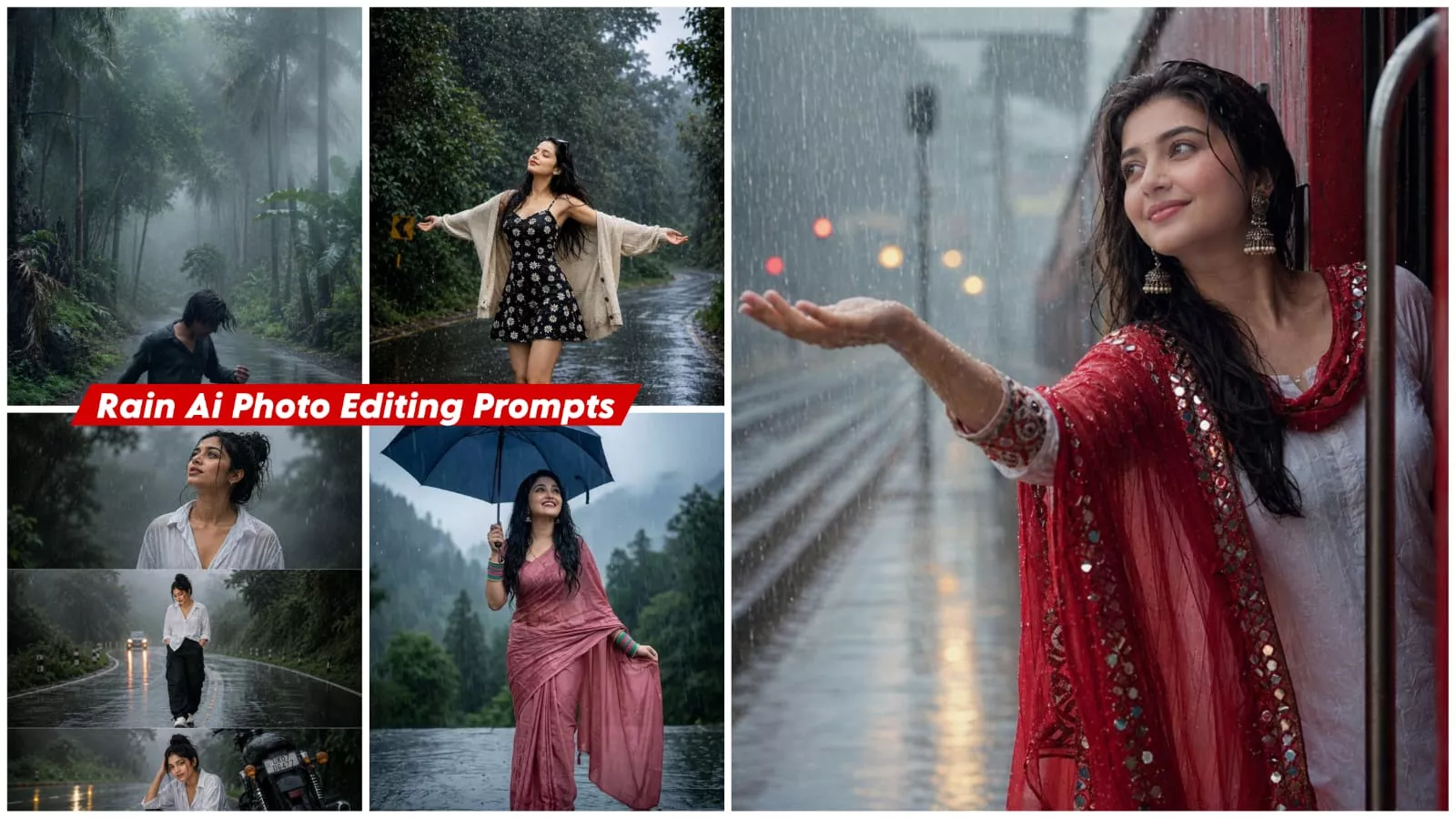
A cinematic ultra-realistic of a joyful young woman with long black hair, leaning out of the door of a moving red train at a station during a heavy downpour. She is wearing a white cotton kurta paired with a vibrant red dupatta featuring intricate mirror-work embroidery along the borders. Her arm is outstretched, palm up, catching the falling rain. The atmosphere is misty and nostalgic, with soft bokeh lighting and the blurred railway tracks in the background
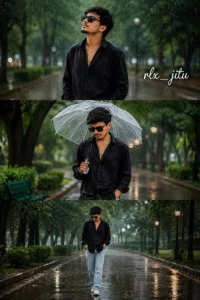
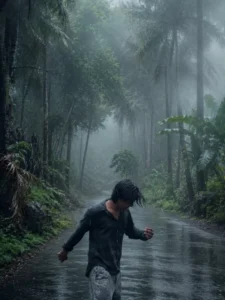
Create an 8K ultra-realistic cinematic vertical triptych collage featuring the same young man walking through a rainy green park. Top panel: looking up as rain falls. Middle panel: holding a transparent umbrella with a calm expression. Bottom panel: walking alone on a wet pathway. Wearing a black oversized shirt and grey pants. Rain droplets, reflective ground, cinematic lighting, natural green bokeh, emotional aesthetic. Write: "rlx_jitu''
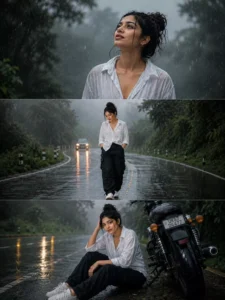
Heavy monsoon atmosphere, realistic rain particles, volumetric fog, wet clothing details, glowing road reflections, green countryside background, HDR photography, ultra realistic, 85mm lens, depth of field, cinematic color grading, movie still quality, photorealistic, 8K, masterpiece, natural skin texture, dramatic rainy mood,Same exact face consistency, white oversized shirt, black cargo trousers, sneakers. Three vertical panels. Top: rain drops on face while looking upward. Middle: confident solo walk on wet road. Bottom: sitting beside motorcycle on roadside. Bright wet-road reflections, dreamy fog, green trees, cinematic monsoon mood, ultra detailed skin texture, DSLR photography, trending reel aesthetic,"
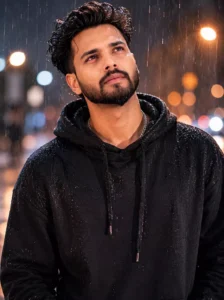
Ultra-realistic cinematic rainy night portrait of a handsome young Indian man standing alone in heavy rain on a city street at night, wearing a wet oversized black hoodie with water droplets visible on fabric, stylish messy voluminous black hair soaked from rain, sharp beard and mustache, emotional eyes looking upward with tears mixing into raindrops, soft warm orange and white bokeh street lights in blurred background, moody atmosphere, dramatic lighting, depth of field, realistic skin texture, cinematic color grading, emotional heartbreak vibe, 8K ultra detailed, centered composition, photorealistic, rain streaks visible in foreground and background, soft glow around face, aesthetic Instagram reel style, night photography, highly detailed facial features, natural expression, luxury portrait photography.
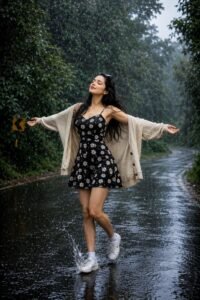
Ultra cinematic full-body portrait of a joyful young woman standing in the middle of a rain-soaked forest road, arms stretched wide enjoying the rain ,face slightly lifted toward the sky, long wet black hair flowing in the wind, wearing a black sleeveless dress with white and yellow daisy flowers, loose beige cardigan slipping naturally off her shoulders, white sneakers splashing through puddles,
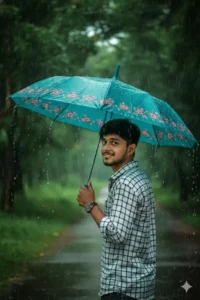
Creat a 8k hyper-realistic dark green portrait cinematic image with dramatic smile actions .(uploaded photo 100% face match)of A young man standing outdoors on a rainy day, holding a colorful blue umbrella with pink floral patterns over his shoulder.He is wearing a white and black checkered shirt and looking back towards the camera with a calm expression.The background features lush green trees and wet ground, with rain visibly falling, creating a serene monsoon atmosphere.", 9:16 close-up shot
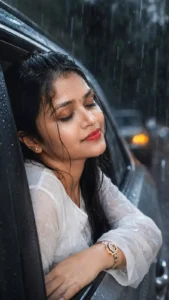
"A close-up, cinematic photograph of a young Indian woman smiling with her eyes closed, leaning out of a car window during a heavy rain shower. The women wear a white colour dress. Raindrops are hitting her face and hair. The lighting is soft and natural, emphasizing the texture of the rain and her wet skin. Mood is serene and joyful. Dark, moody background from the rain. High detail, photorealistic style." keeping the same original face (99%
likeness, no alteration
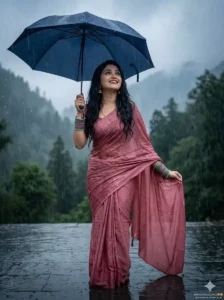
Beautiful young Indian woman standing in heavy monsoon rain, wearing a wet dusty-rose pink saree, holding a deep navy-blue umbrella while lifting part of her saree, joyful expression looking upward, long wet black hair, cinematic rainy portrait, misty forest mountains background, dark moody atmosphere, reflective wet stone floor, soft fog, shallow depth of field, realistic rain droplets, soft overcast lighting, dreamy monsoon aesthetic, fashion
Transform this image into a breathtaking ultra-realistic foggy forest masterpiece. Add dense natural white fog covering the entire environment, creating a mysterious and cinematic atmosphere. Apply rich forest-inspired color grading with deep emerald green, dark teal, moss green, and earthy brown tones. Enhance the trees, foliage, and background elements to resemble a lush enchanted forest hidden in the mist. Introduce soft volumetric light rays subtly penetrating through the fog, creating depth and realism. Increase overall image quality to ultra-high-definition 4K resolution with razor-sharp details, HDR enhancement, realistic textures, balanced contrast, and natural color harmony. Improve shadows, highlights, and dynamic range while maintaining a realistic appearance. Add a moody woodland aesthetic, drermy fog layers, atmospheric perspective, and professional cinemate photography grading. The final result should look like a premium DSLR forest photograph captured during a cold misty
The Key Highlights Of This Editing
Here are the key highlights of this editing style: your photos look completely natural and cinematic. The raindrops appear incredibly realistic, as does the wet look of the road. You get cinematic lighting; when a rain-themed photo achieves a cinematic quality, you know it is perfect. The result is a high-quality image where your face retains its natural look, making it ideal for social media.
How To Create This Image?
We will use ChatGPT to create these photos. First, install the ChatGPT app from the Play Store. Then, tap the plus (+) icon to upload a photo; you can use any reference photo—such as a full-length original shot of yourself. While you might have used a prompt previously, for subsequent ones, you will need to provide a reference photo. Next, paste the prompt you copied. You will then see a ‘generate’ option—look for the arrow-shaped icon. Tap it, and the photo generation process will begin; just wait a few seconds, and your photo will be ready.